Where Does Adobe Stand Today? Vibe Coding, AI-Built Clones and What an Adobe Alternative Cannot Rebuild in a Weekend
AI can rebuild the look of Photoshop in days. Where Adobe stands in 2026, what vibe-coded clones copy, and what an Adobe alternative still has to match.

Key takeaways
- Adobe is under real pressure and still growing: record third-quarter revenue of $6.76 billion, up 13%, a new chief executive from 1 December 2026, Firefly at the centre of its plans, and a free Affinity and AI-built clones on the other side.
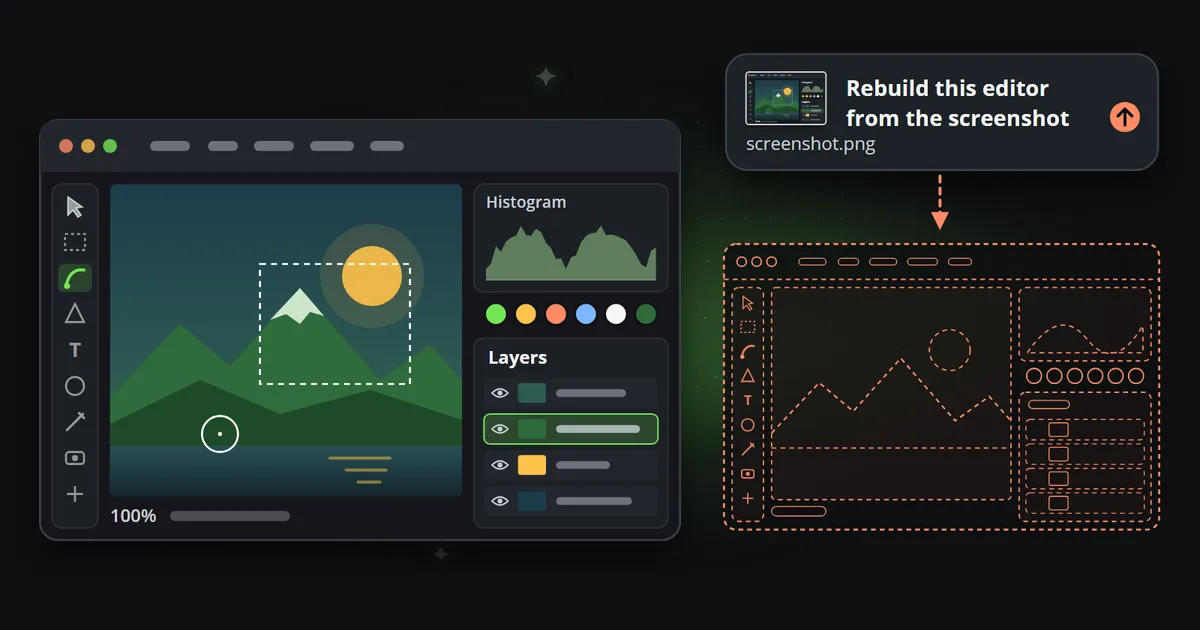
- Vibe coding has made the surface of a creative tool cheap to copy. Menus, panels and tools can be rebuilt from screenshots and descriptions, and the clones of October 2026 show how far that now goes.
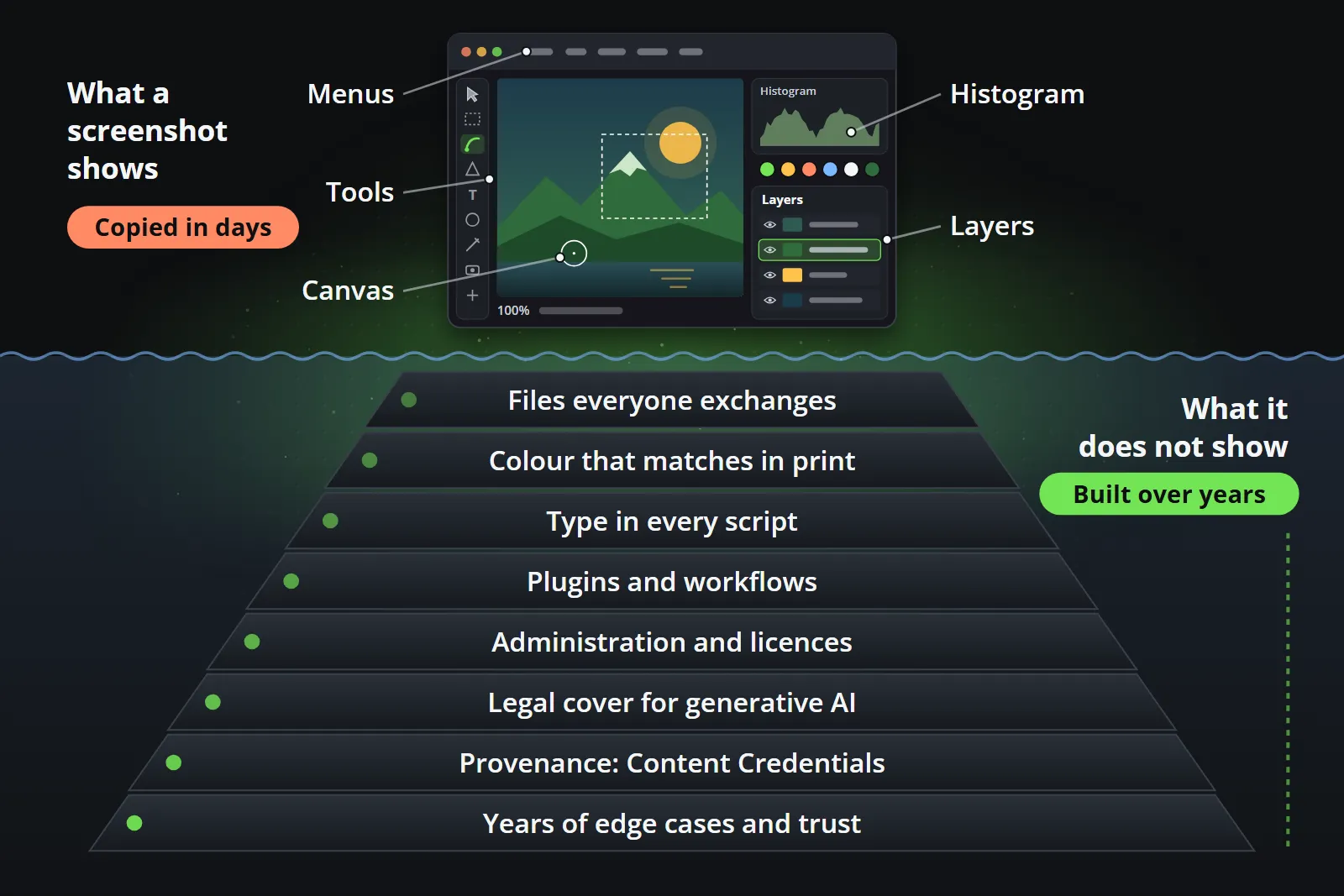
- The depth is what professionals pay for: files everyone exchanges, colour that matches in print, type, plugins, administration, legal cover for generative AI, Content Credentials and years of edge cases. None of it is visible in a screenshot.
- Choose tools by the job, not by the suite. A focused tool can win one job outright, while the suite stays where its depth is needed.
In October 2026 a developer published free, open-source rebuilds of Photoshop, Illustrator, Premiere, Lightroom and After Effects, written with the help of an AI model, and the internet asked the obvious question: is this the Adobe alternative people have waited for since Creative Cloud became a subscription? A few weeks earlier, Adobe had reported the biggest quarter in its history and named a new chief executive.
Both things are true at once, and that is the interesting part. This article looks at where Adobe stands today, what vibe coding has changed about copying creative software, and why a rebuild of the surface, however good, is not yet a rebuild of the tool. It tries to be fair to both sides, because both sides have a case.
Where does Adobe stand in 2026?
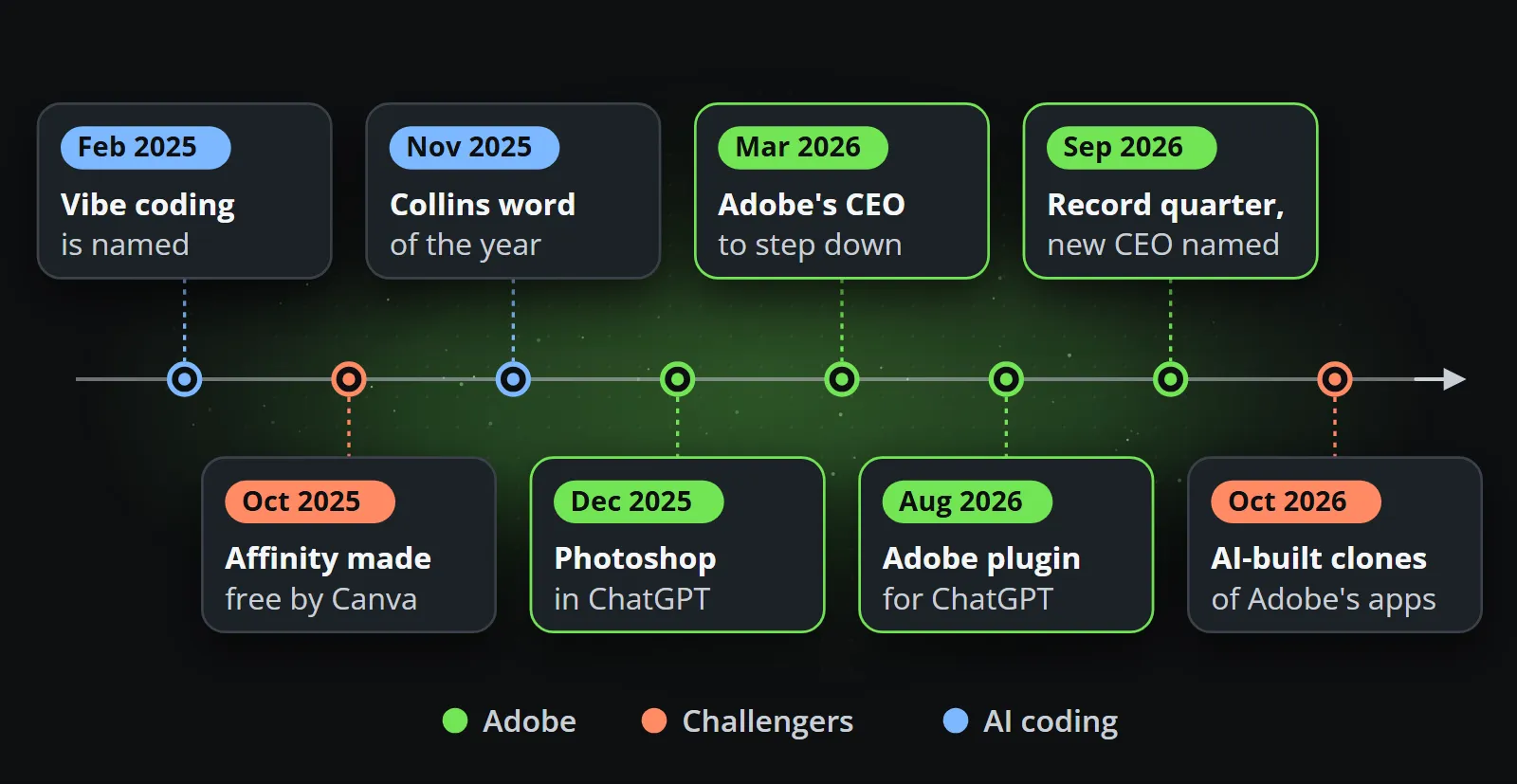
The numbers are still growing. In its third quarter of fiscal 2026, which ended on 28 August, Adobe reported record revenue of $6.76 billion, up 13% on the year, total annualised recurring revenue of $27.50 billion, and growth of more than 150% in what it calls AI-first recurring revenue. It also said it had passed one billion monthly active users across its creativity and productivity products, and raised its target for the year to about $26.6 billion (Adobe’s results release, 10 September 2026, checked on 14 October 2026).
The leadership is changing. In March 2026 Shantanu Narayen, chief executive for eighteen years, said he would step down once a successor was found. On 3 September Adobe announced that Anil Chakravarthy, who runs its customer experience business and worldwide field operations, will become president and chief executive on 1 December 2026, with Narayen moving to executive chair. The change comes at a hard moment: in February 2026 24/7 Wall St. reported a 26% fall in the shares as Wall Street questioned whether Adobe could hold its ground against generative AI tools, and CNBC’s report on the appointment tied it to the same worry that AI will disrupt software makers.
The prices are those of a professional suite. As listed on Adobe’s US pages on 14 October 2026, its plans page and its Express pricing:
| Plan | Listed price per month | Terms | What it is |
|---|---|---|---|
| Creative Cloud Pro | US$69.99 (an introductory offer was showing) | Yearly plan, billed monthly | More than 20 apps, plus Firefly |
| Creative Cloud Standard | US$54.99 | Yearly plan, billed monthly | The main apps, such as Photoshop, Illustrator and Acrobat Pro |
| A single app | From US$22.99 | Yearly plan, billed monthly | One app of your choice, such as Photoshop or After Effects |
| Firefly Standard | US$9.99 for 2,000 generative credits | Not stated on the plans page | Generative AI on its own |
| Adobe Express Premium | US$9.99 | No annual commitment, billed monthly | The quick design app, Adobe’s answer to Canva |
Adobe launched Firefly Standard in February 2025 at the same starting price; prices and credits change, so check the pages before you compare.
Firefly is at the centre of the plan. Adobe’s Firefly page describes it as a space for creating and editing pictures, video, audio and vector graphics. Its own models, Firefly Image 5 among them, are what Adobe calls commercially safe: according to its statement on its approach, they are trained on licensed content such as Adobe Stock and on public domain material, and Adobe provides intellectual property indemnification for enterprise customers. Beside them, the Firefly app now offers other companies’ models: OpenAI’s GPT Image, Google’s Gemini with Nano Banana, FLUX.2, Runway, Kling, Luma and ElevenLabs. Adobe’s commercial-safety wording is about its own models. Not legal advice; checked on 14 October 2026.
Adobe is also going where the users are. Photoshop, Express and Acrobat became apps inside ChatGPT in December 2025, and in August 2026 Adobe introduced one Adobe plugin for ChatGPT that brings together tools from those apps and others, more than 70 in all.
And the pressure is real. Canva made Affinity, its professional design, photo and layout app, free for individuals in October 2025. Figma stayed independent after Adobe and Figma called off their merger in December 2023 for want of regulatory approval. CapCut owns quick video on the phone, and AI video generators compete for the budget that used to buy footage. Now there are clones as well.
What is vibe coding?
In February 2025 Andrej Karpathy, a founding member of OpenAI and Tesla’s former head of AI, described a new way of programming in which you “fully give in to the vibes, embrace exponentials, and forget that the code even exists”: you tell an AI model what you want, accept what it writes, and paste the errors back until it works. He meant it, in his own words, for throwaway weekend projects (Wikipedia’s summary, checked on 14 October 2026).
The name stuck far beyond weekends. Collins made vibe coding its word of the year 2025, defining it as software development that turns natural language into computer code using AI. The tools behind it, coding assistants and agents from every large AI lab and many small ones, got markedly better through 2025 and 2026, and so did what people built with them.
The wave of AI-built clones of creative tools
The clearest example arrived in October 2026. ArtCraft, a project by the developer Brandon Thomas, published PhotoCraft, VectorCraft, FilmCraft, LightCraft, EffectCraft, DesignCraft and an Acrobat counterpart: free, open-source rebuilds of Photoshop, Illustrator, Premiere, Lightroom, After Effects, InDesign and Acrobat, written in Rust. Gizmodo reported on 7 October 2026 that they were built with Anthropic’s Claude Opus 5.5, and that its tester found the lasso, feathering, levels and colour commands “where I expected them to be”, describing the result as “glitchy, but real, Photoshop”. The developer himself wrote that the apps were “not anywhere close to ready”.
It is a serious piece of work, and it is fair to say so. The PhotoCraft README lists layers, masks, layer styles, type, 16 adjustment layers, a brush engine, smart objects, ICC colour management, CMYK and Lab documents, and opening and saving real PSD and PSB files, with a build that runs in a browser. The project’s own page reports that 134 of 135 real-world test files round-trip byte for byte. Its README describes it as a clean-room reimplementation built from public specifications; whether any such claim holds is a question for lawyers, and this is not legal advice.
The same README is just as clear about the rest: it calls the project early alpha and “not yet a Photoshop replacement for daily professional work”, and lists missing tools, AI features, depth in typography and professional workflows, and plugin compatibility as gaps (all checked on 14 October 2026).
ArtCraft is the most complete case, not the only one. The open-source screenshot-to-code project has made the idea literal for years: “Drop in a screenshot and convert it to clean code”. And long before AI coding, Photopea showed that one person can build a credible Photoshop-like editor in a browser: Ivan Kutskir first released it in 2013 and has been refining it ever since.
Reverse engineering by screenshot: what is easy to copy, and why?
A screenshot of a creative tool carries a great deal: the layout, the icons, the names of the menus and panels, the options each tool offers and roughly what each does. An AI model trained on decades of public code has seen countless canvases, colour pickers, layer stacks and image libraries. Put the two together and the surface of an editor, the part a person sees in the first hour, can now be rebuilt in days rather than years.
Three things make the surface especially cheap:
- It is visible. Everything on screen can be described, photographed and compared until the copy looks right.
- It is well trodden. Brushes, layers, selections and adjustments are documented in tutorials, open source projects and file format specifications.
- It is testable by looking. If the panel looks right and the brush paints, the copy appears finished, which is exactly what makes it easy to overestimate.
What a weekend cannot rebuild
What made Adobe the standard is mostly the part a screenshot does not show. Each item below is unglamorous on its own; together they are the reason studios keep paying.
- Files everyone exchanges. A studio receives PSD, AI, INDD and PDF files from clients, agencies and printers, and sends them back. PDF itself grew out of an Adobe project in the early 1990s and is now an open ISO standard. A clone that opens 134 of 135 test files is a remarkable result, and for a studio exchanging thousands of files a year, the 135th is the one that arrives on a deadline.
- Colour that matches on screen and in print. Colour management is not a feature you add once. It is proofing against the profile of a particular press and paper, and years of print shops trusting that what left the designer’s screen will come off the machine the same.
- Type. Text engines for every script and direction, kerning and hyphenation that hold up in a 200-page layout, and fonts licensed for the work.
- Plugins and workflows. Actions, scripts, panels and third-party plugins that whole businesses are built around. Compatibility is a list of thousands of small behaviours, which is why PhotoCraft lists it as a gap.
- Administration. Licences assigned centrally, single sign-on, security reviews and procurement. Even Affinity’s page sends organisations that need single sign-on to Canva’s enterprise plans.
- Legal cover for generative AI. Training data a company can describe, and indemnification an enterprise legal team can sign off.
- Provenance. Adobe founded the Content Authenticity Initiative in 2019, and Content Credentials, based on the open C2PA standard, are attached to Firefly’s results to show that AI was used.
- Edge cases and trust. The file that recovers after a crash, the 30,000-pixel poster, the twentieth year of the same shortcut. Professionals whose income depends on a tool choose the one that has already failed in every way it can, and been fixed.
The surface against the depth
| What a rebuild copies quickly | What takes years | |
|---|---|---|
| Interface | Menus, panels, tools, shortcuts | The muscle memory of millions of trained users |
| Files | Opening the common formats | Every file a client or printer sends, round-tripped |
| Colour | Profiles applied on screen | Proofs a print shop trusts |
| Type | Text on a layer | Every script, long documents, licensed fonts |
| Extensions | A plugin interface | An ecosystem of plugins and the businesses behind them |
| Organisations | A download link | Licences, single sign-on, security reviews, support |
| Generative AI | A call to a model | Described training data, indemnity, Content Credentials |
| Reliability | Works on the demo | Has failed every way it can, and been fixed |
Where does a focused or rebuilt tool win?
None of this means the clones and the focused tools lose. They win often, and for good reasons:
- Price. Free against US$69.99 a month is a decisive difference for a student, a hobbyist or a small business that edits a few pictures a month.
- A narrow job done well. Canva for non-designers making a social post, Figma for interfaces, CapCut for a quick edit on a phone. Each won its audience by doing one job better for a particular person, not by copying the suite.
- Openness. An open-source editor can be inspected, changed, run offline and kept forever. PhotoCraft can even be driven by an AI agent through MCP, which suits automated work a desktop suite was never designed for.
- Speed of change. A small project can add the one thing its users need tomorrow.
The honest summary is that the surface has become a commodity, so competition moves to the depth and to the job. Adobe’s answer is Firefly, Express and its apps inside ChatGPT; the challengers’ answer is price, openness and focus.
What does it mean when you choose tools?
Replace a job, not a suite. Very few teams use everything they pay for, and very few can drop all of it. Map the work by job, and ask for each one which tool does it best and what it would cost to move.
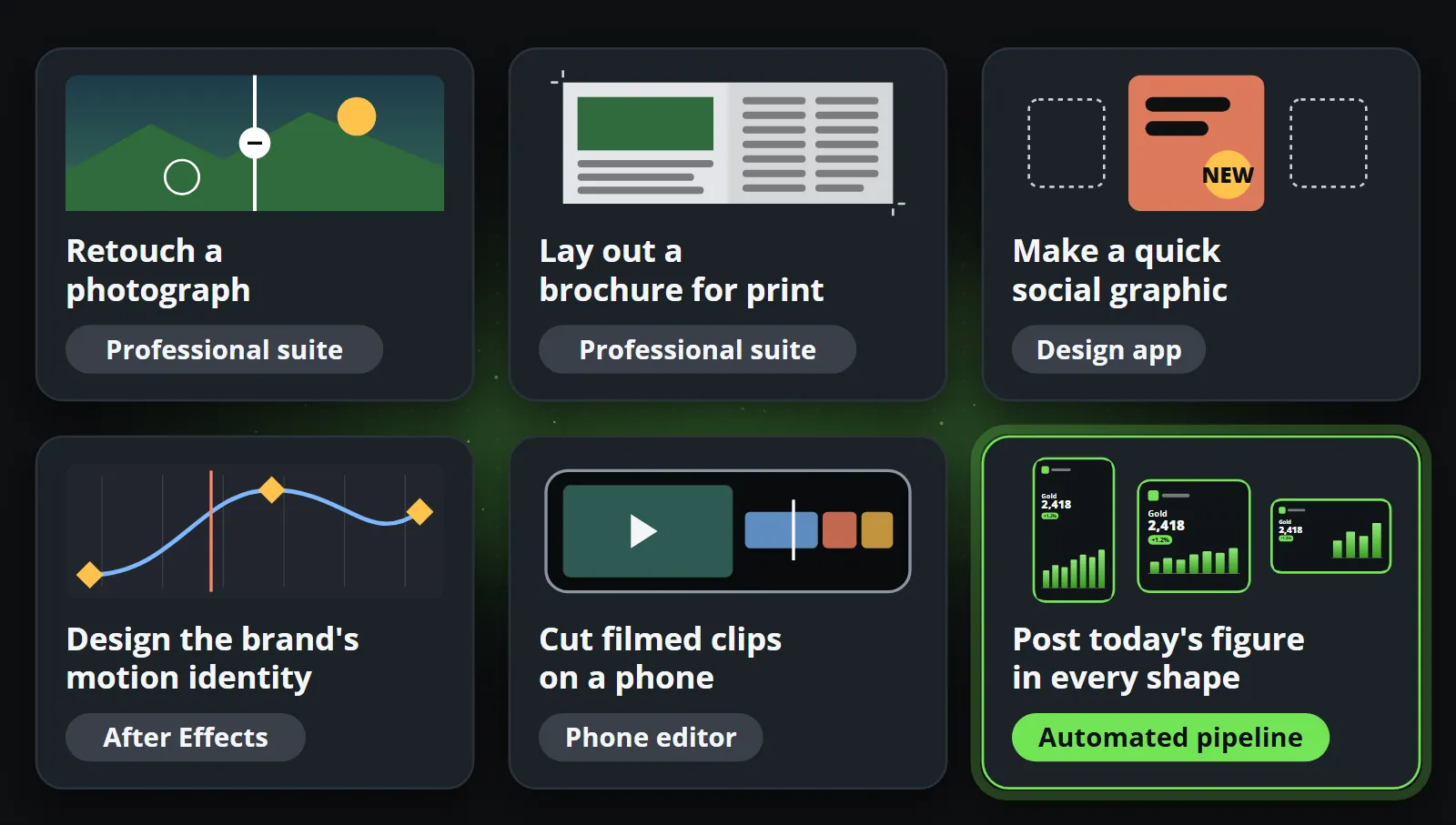
Reelwire is an example of a focused tool, and of what focus means. It replaces one job: the recurring short video built on data, such as today’s figure, this week’s offers or last night’s results, drawn from a template in every aspect ratio and language and handed over for posting, without anybody opening an editor. It does not edit photographs, lay out brochures or design a launch film, and it is not trying to. A brand’s intro and outro, made in After Effects, can open and close every Reelwire clip. Reelwire vs video editors compares it with After Effects, Express, Canva and CapCut job by job.
The same test applies to generated video. A model that invents footage is a strong tool for b-roll and concepts, and a weak one for a figure, a logo or lettering that must be exact, as what generative video still cannot do shows. The comparison of AI video generators goes through the main ones.
A few questions settle most decisions:
- Which files do you exchange, and with whom? If clients and printers send Adobe files, the alternative has to open all of them, not most.
- Is the work designed or recurring? A person designing needs depth. A post that repeats every day with new data needs a pipeline, not a cheaper editor.
- Who is accountable when it breaks? A suite comes with support and an administrator console; a community project comes with an issue tracker. Both are fine, for different stakes.
- What does the AI part need to promise? Exact figures and logos, a description of training data, or neither.
Bottom line
Adobe stands where an incumbent stands when the cost of copying its surface falls close to zero: still growing, still the standard for professional work, and under more pressure than at any time since it moved to subscriptions. Vibe coding is a real change, and the October clones are impressive. They are also a reminder that a tool is mostly what you cannot see in a screenshot.
The useful response, for Adobe and for anybody choosing tools, is to look at jobs. Keep the suite where the depth matters, and use focused tools where a job can be done better, cheaper or without anybody at all. If one of your jobs is a recurring video built on data, try it on your own content with Reelwire’s free plan: 15 videos a month, no card needed.
Frequently asked questions
Is there a free Adobe alternative that professionals use?
Several, each for part of the work. Canva made Affinity free for individuals in October 2025, and it covers photo editing, vector design and page layout in one app. Photopea edits Photoshop files in a browser, and GIMP, Inkscape and Krita are free and open source. Whether one replaces Adobe for you depends on the files you exchange, the printers and clients you work with, and the plugins your workflow needs.
What is vibe coding?
Writing software by telling an AI model what you want in plain language and accepting what it writes, often without reading the code closely. Andrej Karpathy named it in February 2025, and Collins chose it as its word of the year 2025. It is very good for prototypes and personal tools, and riskier for software other people depend on.
Can AI really clone Photoshop?
It can rebuild a convincing surface quickly. The PhotoCraft project, reported in October 2026 and written with an AI model's help, opens Photoshop files, has layers, masks and a brush engine, and runs in a browser. Its own README calls it early alpha and "not yet a Photoshop replacement for daily professional work", and lists plugin compatibility and professional workflows among its gaps.
Are Adobe Firefly images safe for commercial use?
Adobe says its own Firefly models are commercially safe, trained on licensed content such as Adobe Stock and on public domain material, and that it provides intellectual property indemnification for enterprise customers. The Firefly app also offers partner models from other companies, which that statement does not describe. Check your own contract; this is not legal advice.
Does Reelwire replace Adobe?
No. Reelwire replaces one job: the recurring short video built on data, such as a daily figure, a weekly offer or a result, made in every aspect ratio and handed over for posting. After Effects, Photoshop and Express stay for the work a person designs, and an intro or outro made in After Effects can open and close every Reelwire clip.
Make your first clips today
The free plan makes 15 clips a month and asks for no card. Add your logo and colours, pick a template, and see a finished clip in your own brand before you decide anything.

Co-founder of Reelwire. Every organisation has facts worth showing, its prices, results, releases and warnings, and the vision is that every one of them can show those facts every day, on brand, in every format and language, without a production team behind each post. On brand, every day: correct, recognisable and consistent from the first clip to the thousandth.