Reelwire vs AI Video Generators: Runway, Kling, Veo, Luma, Seedance, InVideo, Pictory, Synthesia and HeyGen
Nine AI video tools compared with Reelwire: what Runway, Kling, Veo, Luma, Seedance, InVideo, Pictory, Synthesia and HeyGen make, cost and leave to you.

Key takeaways
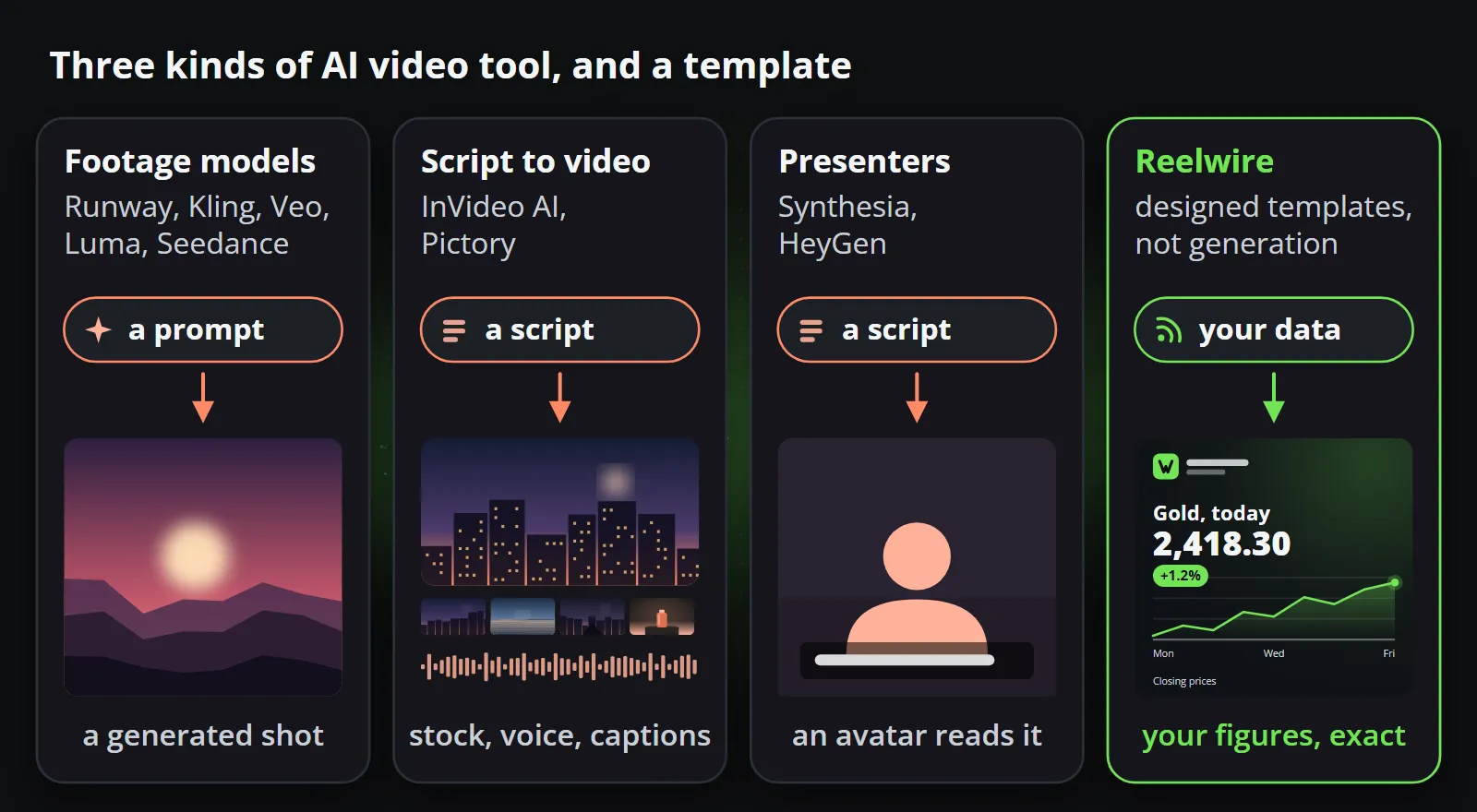
- The nine tools are three kinds: footage models (Runway, Kling, Google Veo, Luma, Seedance), script-to-video makers (InVideo AI, Pictory) and avatar presenters (Synthesia, HeyGen).
- Each is good at what a camera crew or a presenter would give you. On their pages checked on 13 October 2026, none published accuracy figures for drawing exact numbers, prices or logos, and none was documented as handing a finished post over on a schedule.
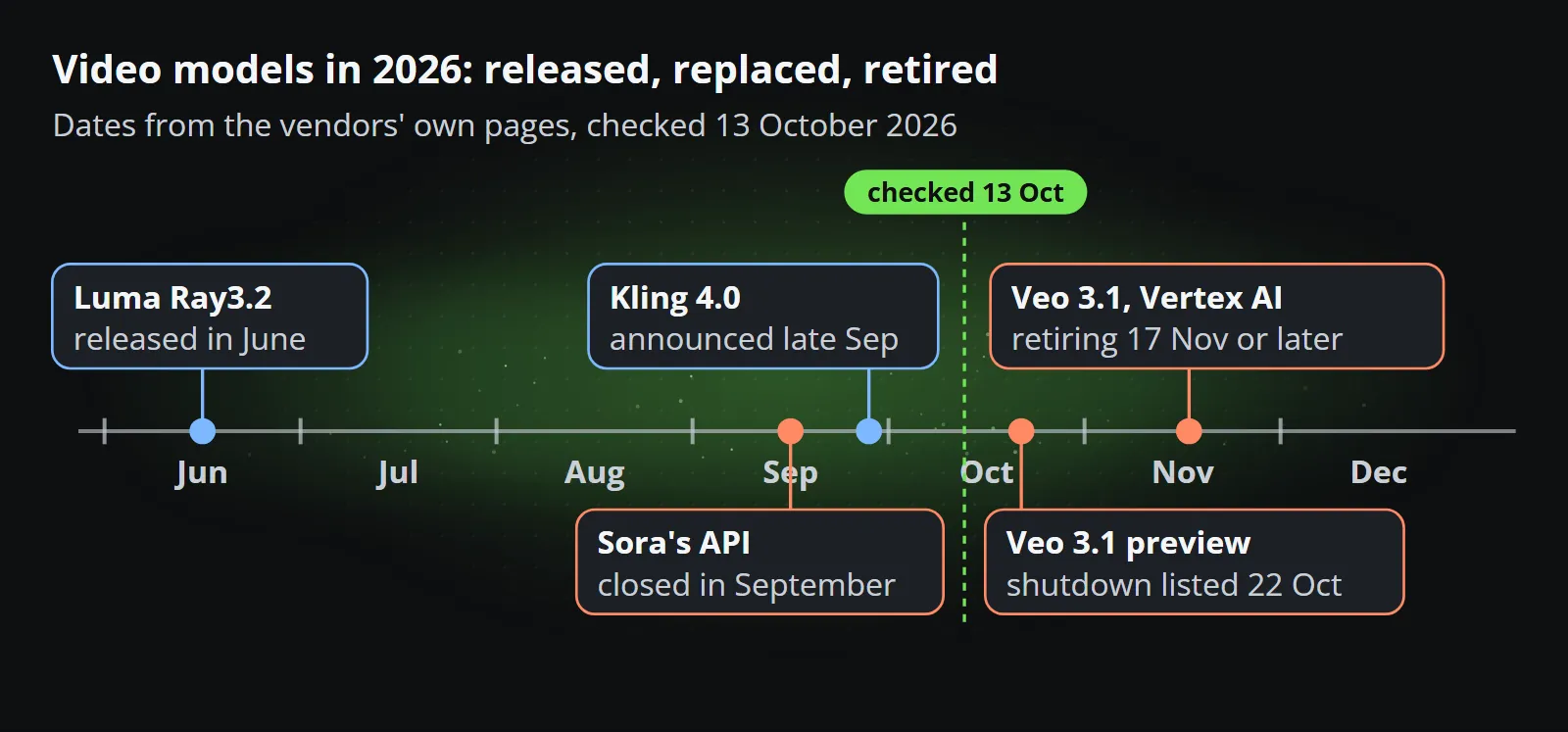
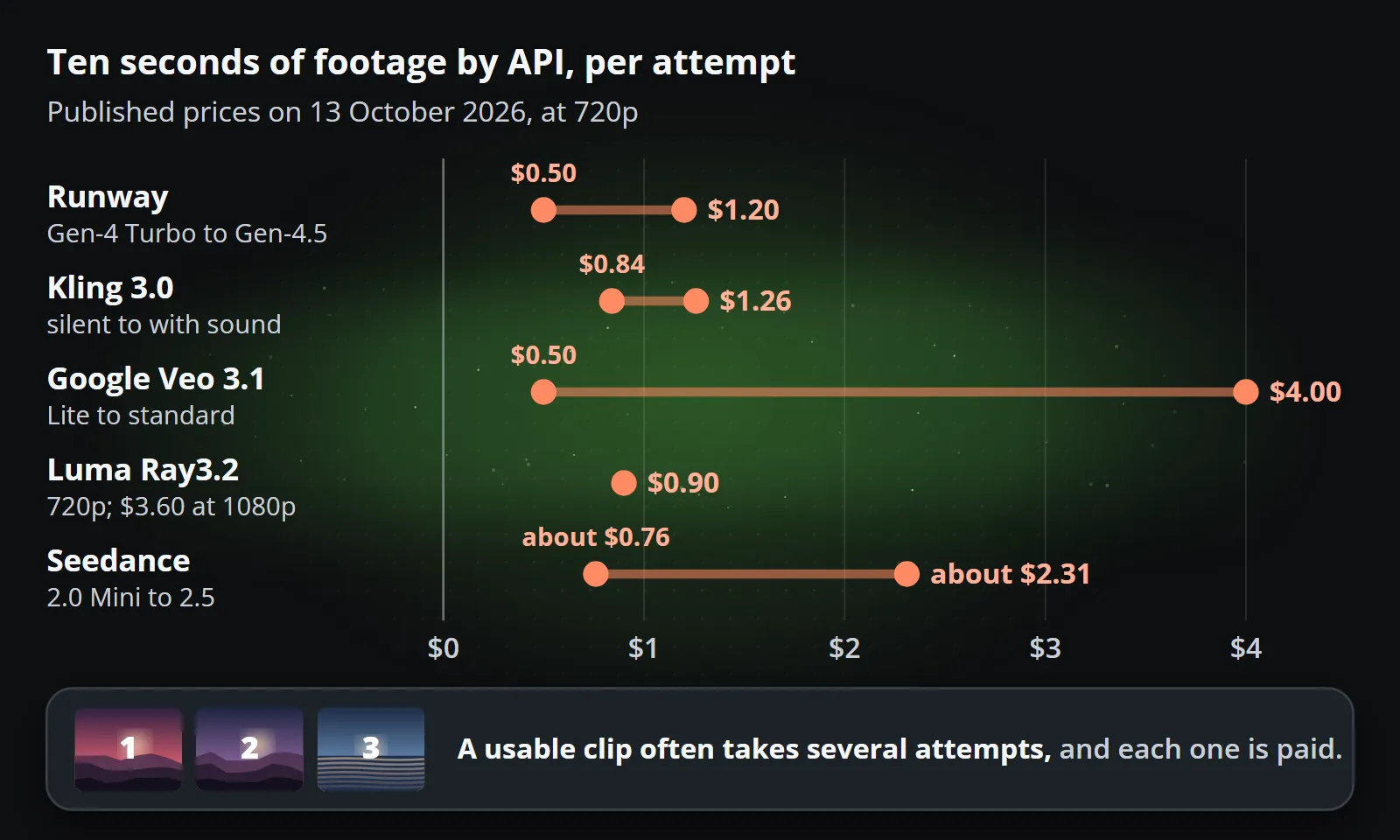
- By API, ten seconds of footage cost about $0.50 to $4 per attempt on 13 October 2026, before retries, and models are retired within months: Sora's API closed in September, and Google lists its Veo 3.1 preview models for shutdown on 22 October.
- Use them for footage and Reelwire for the facts: its AI assistant can call FLUX 3 or Seedance with your own key for a background, intro or outro, and a template draws the exact figures over it.
There are now more AI video tools than any team can test, and nine of them come up in almost every conversation about short-form video: Runway, Kling, Google Veo, Luma, Seedance, InVideo AI, Pictory, Synthesia and HeyGen. They are often listed side by side as if they did the same job. They do not, and neither does Reelwire, which is not an AI video generator at all.
This comparison of Reelwire vs AI video generators sorts the nine into the three kinds of tool they are, says what each is genuinely good at, and shows where a brand channel built on facts needs something else. Every price and specification was checked on the vendor’s own pages on 13 October 2026; this market changes monthly, so check again before you buy.
Reelwire vs AI video generators at a glance
The footage models generate frames from a prompt or a picture. Prices are the cheapest published API rate for ten seconds at 720p unless noted:
| Current model | One generation | Sound | Ten seconds by API | Plans from | |
|---|---|---|---|---|---|
| Runway | Gen-4.5 | 2 to 10 seconds, 720p | Not listed for Gen-4.5 | $1.20 (Gen-4 Turbo: $0.50) | $15 a month |
| Kling | Kling 3.0 | 3 to 15 seconds, 720p or 1080p | Optional | $0.84 silent, $1.26 with sound | $10 a month |
| Google Veo | Veo 3.1 | 4, 6 or 8 seconds, extendable | Always | $0.50 (Lite) to $4.00 | Through Google’s API and apps |
| Luma | Ray3.2 | 5 or 10 seconds, up to 1080p | None for text or picture to video | $0.90; $3.60 at 1080p | $30 a month |
| Seedance | Seedance 2.5 | Up to 30 seconds, up to 1080p | Yes | About $2.31 (2.0 Mini: about $0.76) | Through CapCut, Dreamina and resellers |
Seedance is priced in tokens; the ten-second figures are worked out from BytePlus’s own formula at 1280 by 720 and 24 frames per second.
The makers assemble a whole video from a script, a document or a presenter:
| What it makes | Plans from | API | |
|---|---|---|---|
| InVideo AI | A video from a script or idea: stock, generated clips and AI voices, edited by an AI agent | $9 a month (Basic) | No public API documented |
| Pictory | A video from text, an article, slides or a web page, with stock footage and AI voices | $29 a month for 200 minutes | Yes, from $79 a month billed yearly |
| Synthesia | An avatar presenting your script, in 140 or more languages | Free (watermarked), then $29 a month | Yes, with bulk personalisation from a spreadsheet |
| HeyGen | An avatar presenting your script, in 175 or more languages | Free (watermarked), then $29 a month | Yes, priced separately from the plans |
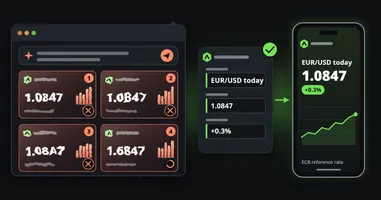
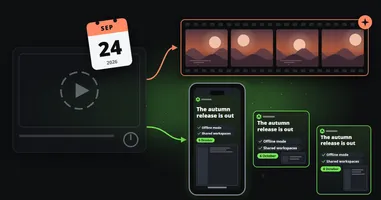
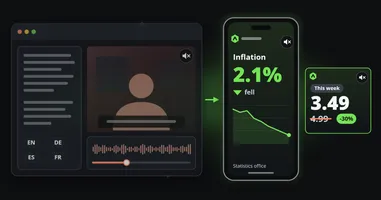
Reelwire is none of these: data arrives, a designed template draws it exactly in your brand, in every aspect ratio and language, and the post is handed over when it is due. Free for 25 videos a month, then from €69 for 75.
The footage models: Runway, Kling, Veo, Luma and Seedance
These five make some of the most convincing generated footage available. Give them a prompt or a first frame and they return a shot a crew would have needed a day for: a city at dusk, a product turning in light, weather rolling over hills. For b-roll, concept work, mood and backgrounds they are superb.
They share three limits that matter to a brand channel. Each generation is new, so the same prompt gives a different clip each time. None published accuracy figures for text when checked: a few now claim better lettering, but a model draws a figure the way it draws a cloud, as something plausible. And they are priced per second of output on graphics hardware, so every retry costs again. What generative video still cannot do goes into the first two in detail.
Runway
Runway’s flagship is Gen-4.5, which it calls its state-of-the-art text and image to video model. What sets Runway apart is the studio around the model: editing tools such as Aleph for changing existing video, a brand kit on Pro, and other companies’ models, Kling, Seedance and Veo among them, inside the same app and API. Plans run from $15 a month (625 credits, about 52 seconds of Gen-4.5) to $95, and the API charges $0.12 a second for Gen-4.5. Free-plan videos carry a watermark; Runway’s help centre says what you create is yours to use without non-commercial restrictions. Its own research page is candid about limits, listing cases where effects precede their causes and objects do not stay put.
Use it for: creative work a team will edit afterwards.
Kling
Kling comes from Kuaishou. Kling 3.0 makes 3 to 15 seconds per generation at 720p or 1080p, with or without sound, with dialogue in five languages, and Kling 4.0 was announced at the end of September with early access for some subscribers. By API, ten seconds cost $0.84 silent and $1.26 with sound at 720p, and $1.68 with sound at 1080p. Its membership page lists commercial use and watermark removal on the paid plans, from $10 a month, and not on the free one. Kling describes its text output as “native-level”, without published figures.
Use it for: motion-heavy shots at a moderate price.
Google Veo
Veo 3.1 is known for realism and sound: every clip has audio, in 4, 6 or 8 seconds that can be extended, in 16:9 or 9:16, and Google watermarks every video invisibly with SynthID. Through the Gemini API it costs $0.05 a second on Lite and $0.40 on the standard model, so $0.50 to $4.00 for ten seconds at 720p.
It is also the clearest example of how short a model’s life can be. Google’s deprecations page lists the Veo 3.1 preview models for shutdown on 22 October 2026, calling it the earliest possible date, with Gemini Omni Flash as the replacement; on Vertex AI the generally available models are listed for retirement on 17 November 2026 or later. That is not the end of Veo, but a team that built on it re-tests on a new model, again. Reelwire’s own AI assistant stopped offering Veo for that reason. After Sora’s shutdown, it is the second reminder this year.
Use it for: realistic scenes with sound, with a plan for the next model.
Luma Dream Machine
Luma’s model is Ray3.2, released in June 2026; its own model information now lists the earlier Dream Machine product and Ray2 as deprecated. Ray3.2 makes 5 or 10 seconds at up to 1080p, in HDR if you want it, with no generated sound for text or picture to video. By API, ten seconds cost $0.90 at 720p and $3.60 at 1080p. Plans start at $30 a month, and its terms allow commercial use only of what was made during an active paid subscription.
Use it for: a few high-quality hero shots where the picture matters more than the count.
Seedance
Seedance is ByteDance’s model family, now at 2.5, which can make up to 30 seconds in one request at up to 1080p. It reaches people three ways: inside CapCut and Dreamina, through the BytePlus ModelArk API, and through resellers such as Runway. CapCut says it applies visible watermarks and C2PA Content Credentials as a general practice. By API it is priced in tokens: about $0.76 for ten seconds at 720p on 2.0 Mini and about $2.31 on 2.5.
Use it for: longer generated shots in one go. It is also one of the services Reelwire’s AI assistant can call with your own key, more on that below.
The makers: InVideo AI and Pictory
These start from words rather than a prompt for a shot. You give them a script, an article, a set of slides or a web address, and they assemble a video: scenes, stock or generated footage, an AI voice, captions.
InVideo AI
InVideo now presents itself as an agentic video editor: a script or an idea becomes a storyboard on a multitrack timeline, filled with stock footage, clips from third-party generative models (Veo, Kling and Seedance among them) and AI voices, including a clone of your own. Plans run from $9 a month, with Pro at $30 ($15 billed yearly) and Ultra at $80, and its terms give you a commercial licence to what you make while stock footage stays under its owners’ licences. No public API was documented when checked.
Pictory
Pictory turns text, articles, slides, web pages and recordings into videos, illustrated with stock from Getty Images and Storyblocks, voiced by ElevenLabs voices, in your brand’s fonts, colours and logo. Plans start at $29 a month for 200 video minutes, and it is the most automatable of the two: an API from $79 a month billed yearly, with webhooks, Zapier, Make and an MCP server.
Where the makers stop: they illustrate words. Stock footage of a trading floor is not your price, and a voice reading “inflation rose” is not your chart. Neither reads your data, and neither posts. For a channel built on narration, they fit; for a channel built on figures, the figure is still typed into a script by somebody.
The presenters: Synthesia and HeyGen
Synthesia and HeyGen put a generated presenter in front of your script, in more languages than any studio could film: 140 or more for Synthesia, 175 or more for HeyGen. Both start free with a watermark and at $29 a month without one, both have APIs, and Synthesia can make personalised videos in bulk from a spreadsheet. Synthesia adds C2PA metadata to every video it makes, with an optional visible AI label.
For training, onboarding and internal updates, they are excellent. For a public brand channel, a generated face is exactly what platforms’ labels are aimed at, much of the audience scrolls with the sound off, and the data is reduced to a sentence. Synthesia and HeyGen alternatives makes that case in full.
What none of the nine does
A brand channel that posts every day from its own figures needs a short list of things. This is how the nine and Reelwire compare on it:
| What the channel needs | AI video tools | Reelwire |
|---|---|---|
| The exact figure, price or date from your data | Typed into a prompt or script, and drawn or read out approximately | Read from the data and drawn exactly |
| The same layout every time | A new generation each time | The same template, every clip |
| Your logo and fonts, exactly | Uploaded and hoped for, or added in an editor | Part of the brand, applied to every clip |
| Every shape you publish | Chosen per generation, each shape a new attempt | All five shapes from one template |
| Every language | Re-generated, or a dubbed voice | Each channel’s language from the same post |
| Post text per platform | Written by a person | Written once in up to four lengths |
| On schedule, handed over | Not documented for any of the nine | Handed over by email or webhook, or posted to some platforms |
| Approval | Per clip, by a person | Once per template version, optionally per post |
None of this is a failure of the nine. They were built to make footage and presenters, and they do. The problem only appears when a tool for footage is asked to be a channel.
What does a finished post cost?
The list prices above are per attempt. A usable clip often takes several, and the clip then still needs the brand, the figures and the captions added by somebody in an editor, so the true cost of a generated post is the attempts plus the person finishing it. Reelwire costs under a euro a finished video on a paid plan, figures included, with nobody finishing anything. AI video generator vs template video works through the numbers, and what a short video costs sets them against freelancers, agencies and in-house teams.
Labels and provenance
Platforms increasingly read the provenance a file carries. Of the nine, on their own pages on 13 October 2026, Google watermarks Veo video with SynthID, Synthesia adds C2PA metadata to every video, and CapCut says it applies watermarks and C2PA credentials to Seedance output; Luma’s terms, for example, reserve the right to add watermarks and provenance data and forbid removing them. That is right and proper, and it means a generated clip on a brand account is likely to be labelled as one. A clip drawn from your data by a template is a designed graphic, not generated footage; if you put a generated background under it, label that honestly where a platform asks. Not legal advice: the rules differ by platform and country and are still changing. AI slop and brand video covers what labels do to reach.
Use them together
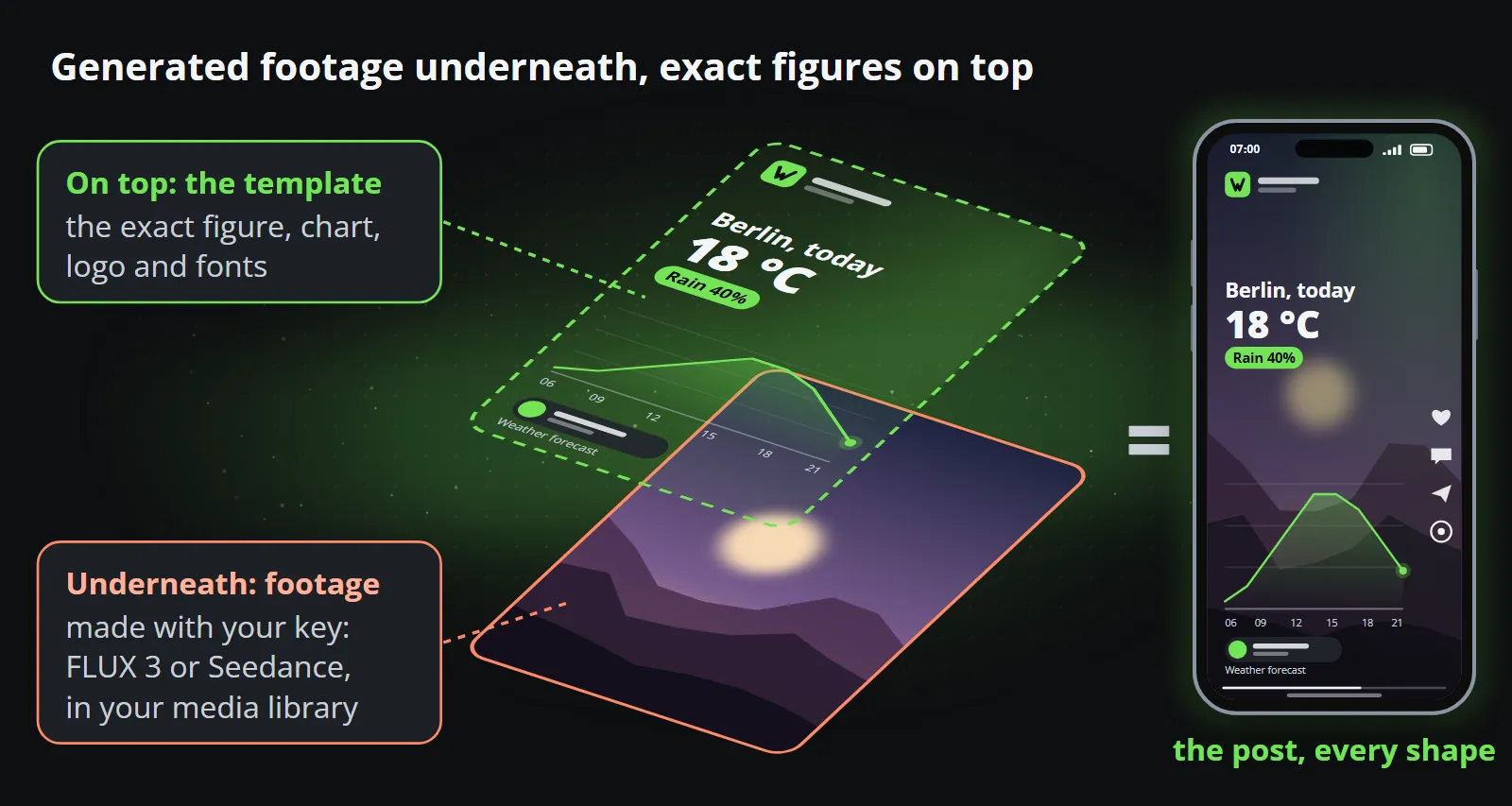
The best answer for many brands is not one or the other. Reelwire’s AI assistant works with keys you bring yourself: Black Forest Labs (FLUX 3) and BytePlus (Seedance) for video, OpenAI, Google and Black Forest Labs for pictures, and ElevenLabs and Stability AI for music. Reelwire does not sell AI; you pay the service directly, and only somebody who connects a video key switches video on.
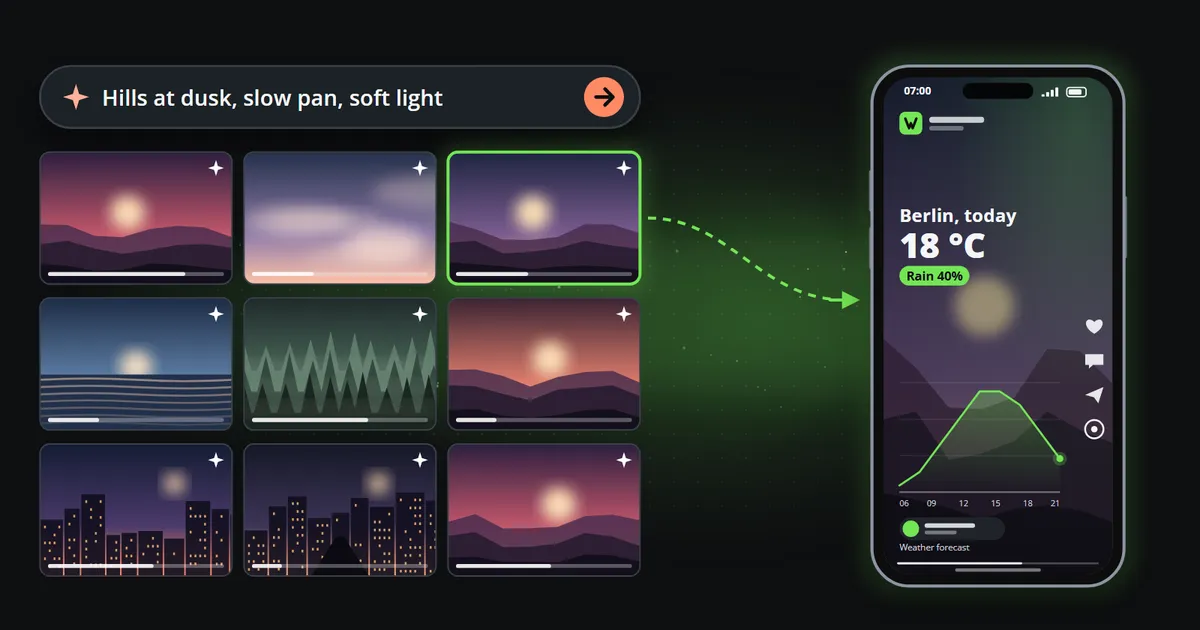
What it makes goes into your media library and can become a brand’s background, intro, outro or stinger, or a picture in a template. Then the template draws the facts over it: the exact price, the real chart, your logo in its place, in every shape and language, posted on time. Generated footage underneath, exact figures on top, and the part that must be right is never generated.
When to choose which
| Choose an AI video tool when | Choose Reelwire when |
|---|---|
| You need a shot no camera could get cheaply | The post is a figure, a price, a date or a result |
| It is a one-off: a campaign, a mood film, a concept | It recurs: daily, weekly, every release |
| A presenter explaining something suits the audience | The audience scrolls, often with the sound off |
| You will edit the result by hand anyway | Nobody should have to open anything |
| Variation between clips is a feature | The same layout every time is the point |
Bottom line
Runway, Kling, Veo, Luma and Seedance make footage; InVideo AI and Pictory make videos out of words; Synthesia and HeyGen make presenters. All nine are impressive, and none of them is built to put your exact figures on a branded post every day. Use them for what a camera or a presenter would give you, and let a template carry the facts.
To see generated footage and exact figures side by side on your own data, start with Reelwire’s free plan, 25 videos a month with no card, or see what it makes for your industry.
Frequently asked questions
Is Reelwire an AI video generator?
No. Reelwire renders designed templates from data: your figures, dates and prices are drawn exactly, in your logo, colours and fonts, in every aspect ratio, and the post is handed over when it is due. Generated footage can sit underneath, made with the AI service you connect, but the facts on top are never generated.
Which AI video generator is cheapest in 2026?
On the vendors' published API prices on 13 October 2026, a ten-second clip cost from about $0.50 (Google Veo 3.1 Lite, Runway Gen-4 Turbo) to between $1 and $4 on flagship models, more at 1080p and above. Count retries: the price of a usable clip is usually a multiple of one attempt.
Can AI video generators put exact numbers and logos in a video?
Some vendors now claim better text, Kling for example describes "native-level text output", but none of the nine published accuracy figures on the pages checked on 13 October 2026. For a post whose point is a figure, a price or a logo, draw those with a template and keep generation for the footage around them.
Is Google Veo being shut down?
Google's Gemini API deprecations page, checked on 13 October 2026, lists the Veo 3.1 preview models for shutdown on 22 October 2026, with Gemini Omni Flash as the replacement; on Vertex AI the generally available Veo 3.1 models are listed for retirement on 17 November 2026 or later. Check Google's pages for the current dates.
Can I use an AI video generator together with Reelwire?
Yes. Reelwire's AI assistant works with keys you bring from Black Forest Labs (FLUX 3) and BytePlus (Seedance) for video, and from OpenAI, Google and Black Forest Labs for pictures. What it makes goes into your media library, for a brand's background, intro, outro or stinger, or a template's picture, and the template draws the exact figures over it.

Co-founder of Reelwire. Every organisation has facts worth showing, its prices, results, releases and warnings, and the vision is that every one of them can show those facts every day, on brand, in every format and language, without a production team behind each post. Your data, in motion: correct, recognisable and consistent from the first clip to the thousandth.