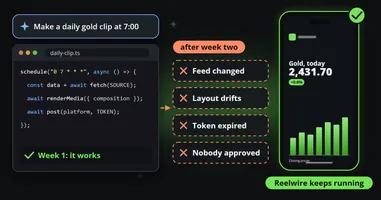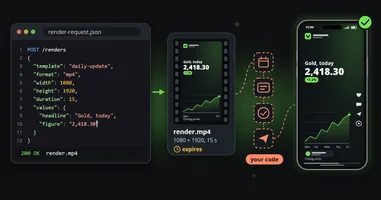
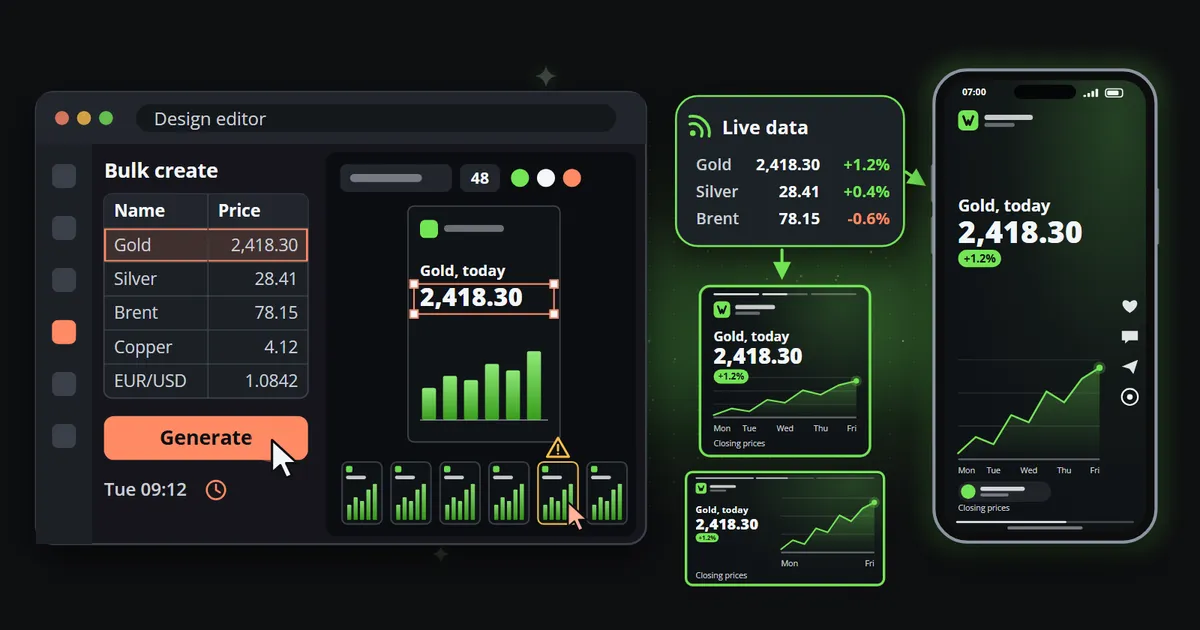
Reelwire vs Canva: When Bulk Create Stops Being Enough
Keep Canva for what a person makes by hand. Reelwire is what runs when nobody is making anything: on-brand video from live data, every day. A fair comparison.

Key takeaways
- Keep Canva. It is the right tool for the twenty percent a person makes by hand, a campaign, a presentation, a one-off post, and Reelwire is not trying to replace it.
- Bulk Create merges a spreadsheet into copies of a design, but a person prepares the data, starts every batch, checks the result and posts it. Nothing updates on its own.
- Reelwire is built for the posts nobody should have to open an editor for: recurring, factual, on brand, in every aspect ratio, from data that arrives by itself.
- The comparison is not Canva against Reelwire. It is Canva plus somebody's afternoon, every week, against Reelwire. The tool was never the expensive part.
Canva changed who gets to design. Before it, a decent social graphic needed a designer; after it, anybody with a browser and a brand kit could make one in minutes. So when a team wants more video, Canva is usually where they look first, and Bulk Create, which turns a spreadsheet into many designs at once, looks like the answer to volume.
It is an answer, to a different question. This comparison of Reelwire vs Canva is for teams who need on-brand video from data every day, and who are wondering whether Bulk Create is enough or whether they need a Canva alternative for that part of the work.
The short version first: keep Canva. It is the right tool for the twenty percent of posts a person makes by hand, and Reelwire is not trying to replace it. Canva is where a person makes a specific thing well. Reelwire is what runs when nobody is making anything.
Reelwire vs Canva at a glance
| Canva (with Bulk Create) | Reelwire | |
|---|---|---|
| Built for | A person designing | Nobody having to open anything |
| Where the content comes from | What a person types or uploads | Live feeds, your own systems, or a post list |
| Who starts each batch | A person | The data arriving |
| Aspect ratios | Resize per design, then check the layout | Every ratio laid out from one template |
| Captions per platform | Written by a person | Written once, cut to each platform’s length |
| Getting it posted | Download, schedule in Canva’s planner, or post by hand | Handed over by email or webhook, or posted directly to some platforms |
| Approval | Per design, where your plan includes it | Once per template, plus an optional check per post |
| Strongest at | Campaigns, one-offs, presentations | Daily and weekly posts built on facts |
Prices and features change, so check Canva’s own pricing page for the plan you are on. The comparison below is about how the two work, which changes far less.
Keep Canva: what it does brilliantly
It is worth being clear about this, because the rest of the article is about where Canva stops, and not about whether its design tools are good. They are, and Reelwire does not compete with them.
- It is fast for a person. Templates, drag and drop, a brand kit and good typography defaults mean a non-designer can make something presentable quickly.
- It is everywhere. Most teams already have it, so there is no procurement and no training.
- It covers many formats. Social posts, presentations, documents, print, and video.
- It has an AI layer. Canva’s AI tools help write copy, generate pictures and suggest designs.
For anything where a person should be making decisions, a launch, a campaign, a one-off announcement, Canva is a very good choice and Reelwire is not trying to replace it.
Bulk Create: what it does and where it stops
Bulk Create lets you connect rows of data, typed in or from a CSV or spreadsheet file, to the text and picture elements of a design, and then makes one copy of the design per row. For fifty event cards, fifty product tiles or fifty name badges, it saves hours.
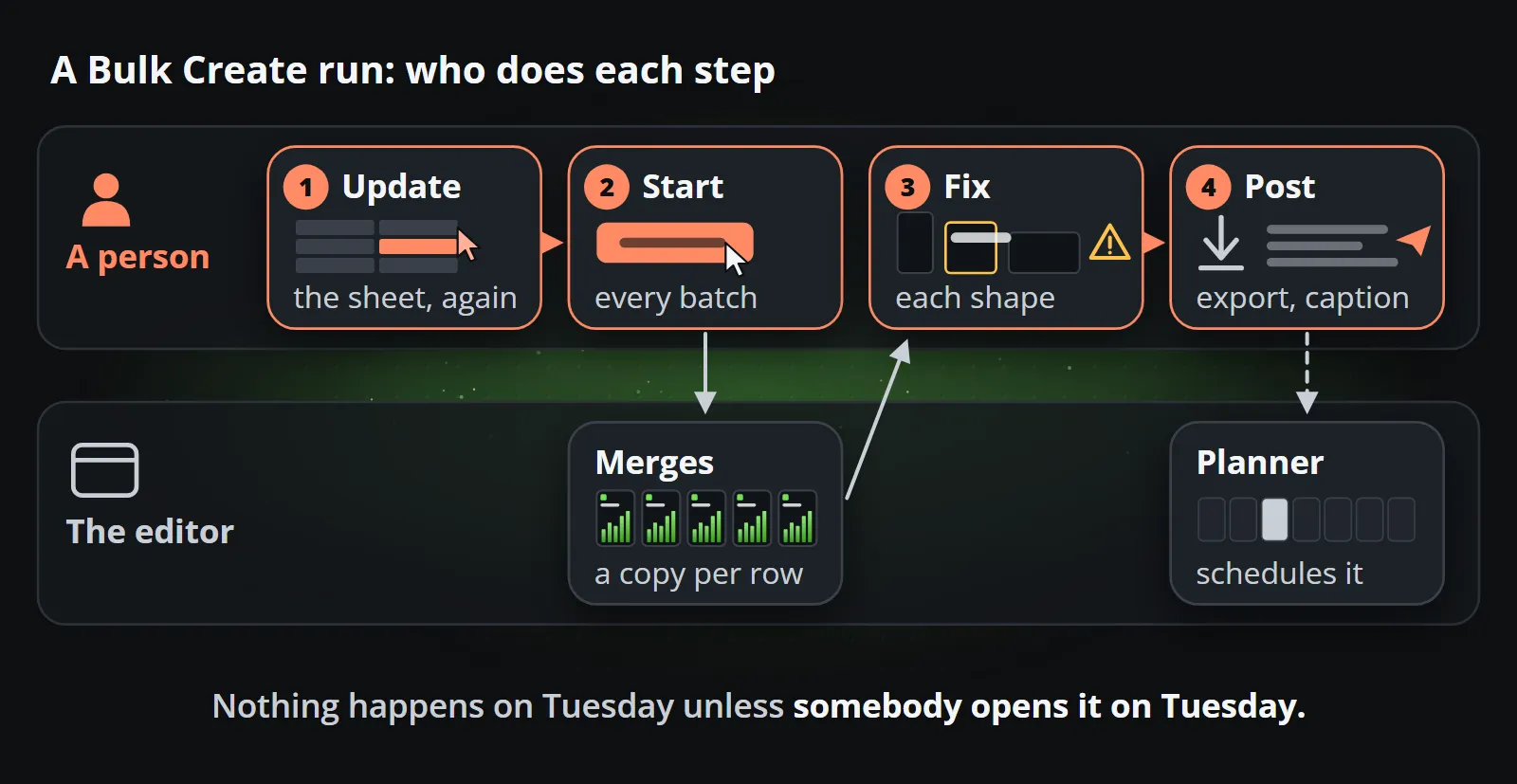
For a recurring video channel, it leaves four jobs with a person:
- The data is a snapshot. Somebody has to export or type the latest figures, every time. If the price changed at noon, the batch made at nine is out of date.
- A person starts every batch. Bulk Create is a merge, not a trigger. Nothing happens on Tuesday unless somebody opens Canva on Tuesday.
- Every format is its own design. A Reel, a square feed post and a widescreen version are different layouts. Resizing helps, but a design with text and a chart in it usually needs fixing after a resize, and the fixes have to be repeated.
- The last mile is manual. Each design is exported, captioned for each platform and posted or scheduled, again by a person.
None of this is a flaw in Canva. It is what a design tool is: a tool for a person. The question is whether the person should be in every post.
What about Canva’s Autofill API, scheduler and AI?
Canva has more than Bulk Create, and it is fair to look at each:
- The Autofill API lets a developer fill a brand template from their own systems, which removes the person from the merge. It is a developer integration rather than a switch, it acts on behalf of a user on a paid plan, and since this post first appeared its documentation lists video assets and chart data as well as text and images (checked 13 October 2026). Check Canva’s current documentation for what it covers today. Either way, the trigger, the per-platform captions and the hand-over are still yours to build.
- The Content Planner schedules finished designs to social accounts. It removes the last click, not the making: every item in the calendar is still a design somebody produced.
- Canva’s AI tools help write copy and generate pictures. They make a person faster in the editor, and generated pictures carry the usual caveats for anything that must be exact, such as a figure, a price or a logo. AI video generator vs template video goes into those.
Put together, Canva can get a long way towards automation with enough integration work. What it is designed around is still a person making a design, and that design choice shows up in every step that has to be bolted on.
What Reelwire does instead
Reelwire starts from the other end: the post that should not need a person at all.
The data arrives by itself. A channel listens to a source: a ready-made feed Reelwire carries, your own system sending events over the API, or a post list somebody fills in advance. When a new event arrives, it becomes a post. Data to video shows the three sources in detail.
A template is designed once. It is a composition with named fields, built for data: a headline that is too long is refused by name rather than clipped, a figure is set in your typeface, and the layout is worked out for each aspect ratio. Your brand, logo, colours, fonts, badge, background and soundtrack, is applied to every clip.
Every ratio and language from one design. The 9:16 Reel, the 4:5 and 1:1 feed posts and the 16:9 video all come from the same template, one channel per shape, in every language those channels publish in.
Captions in the right length. You write the text once in up to four lengths, and each platform gets the longest one that fits its limit.
The hand-over is part of it. When a post is due, Reelwire hands it over by email, with a kit to post it from a phone, or by webhook to your own system or a posting service. For Discord, LinkedIn (a personal profile), Slack and Telegram it can post directly. Whoever posts it reports it published.
Approval moves to the template. A reviewer approves a template version once and every clip made from it inherits that approval. For channels that need it, a second check per post can be switched on.
The price question
The first objection is always the price, and it is a fair one: a paid Canva plan costs around twelve euros a month per person, there is a free plan, and most teams already pay for it. If the question were Canva against Reelwire, Canva would win on price every time.
But that is not the comparison. The comparison is Canva plus somebody’s afternoon, every week, forever, against Reelwire. The subscription was never the expensive part; the person preparing the data, running the batch, checking the overflow, exporting, captioning and posting is. It is the same answer as for generated video, where generation was never the expensive part either, the person finishing the clip was. AI video generator vs template video makes that case in detail.
A worked example: one daily post
Say your team publishes one data post a day, in three shapes and two languages. That is six designs a day, about 180 a month.
With Canva Bulk Create, somebody updates the spreadsheet, runs Bulk Create for each shape and language, checks every result for overflow, exports them, writes or pastes the captions, and posts or schedules six items. Even at fifteen minutes a day, that is over seven hours a month of a person’s time, every month, and the day they are ill the channel goes quiet.
With Reelwire, the data arrives, the template renders all six, the captions are cut to each platform, and the post is handed over at the time you set. Nobody opens anything unless they want to look. The 180 videos fit within the Small business plan, 300 videos for €249 a month, with nobody’s hours in them.
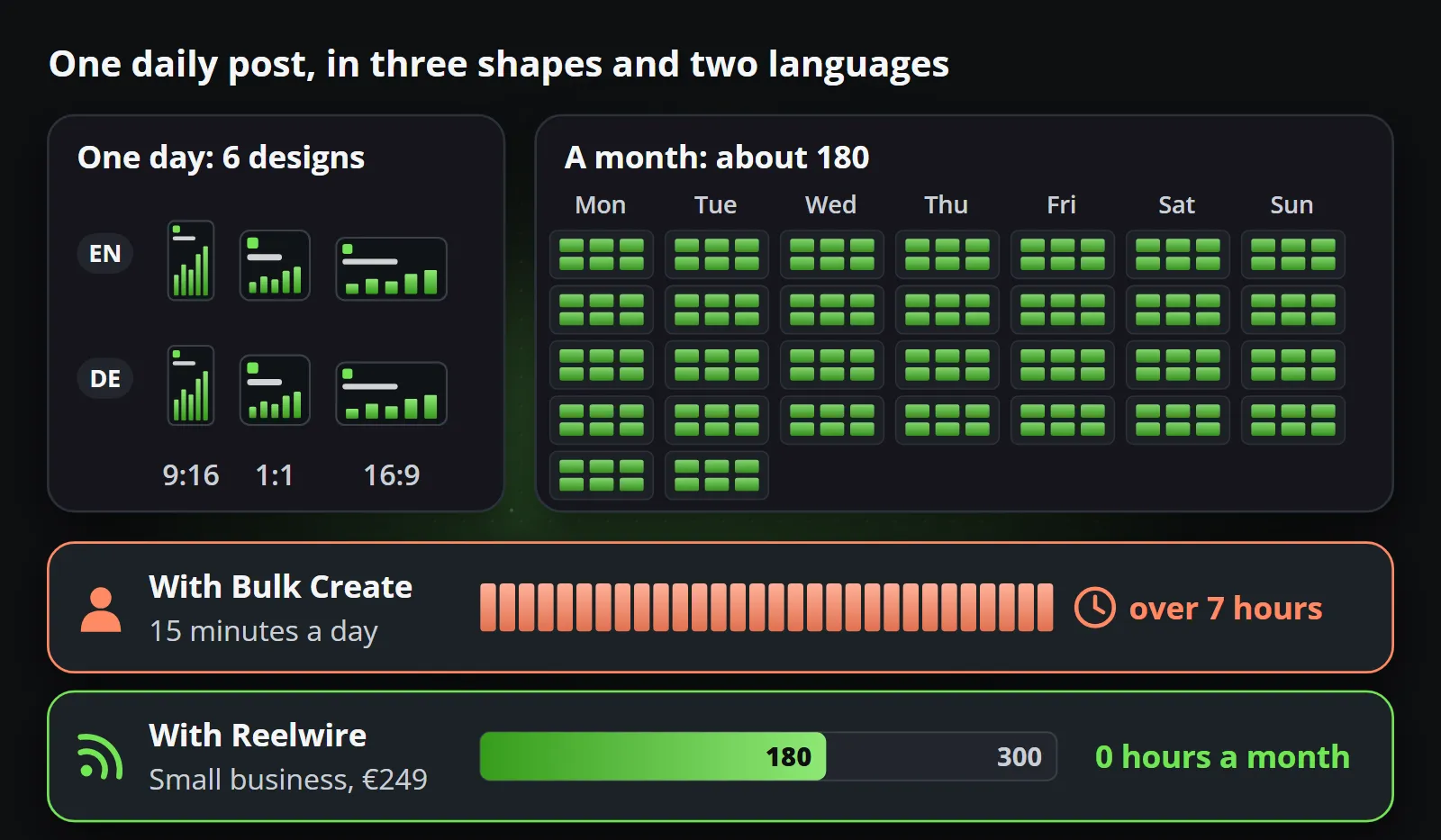
The difference is not that one tool is better software. It is that in one of them the work happens because somebody did it, and in the other it happens because the data changed.
Questions to ask before you decide
A few questions settle the choice quickly for most teams:
- Where does the content come from? If it is a person’s idea, Canva. If it is a system, a feed or a calendar, a pipeline.
- How often does it repeat? Weekly or less, the time a person spends is affordable. Daily, in several shapes and languages, it is not.
- What happens when the responsible person is away? If the honest answer is that the channel goes quiet, the process depends on a person, whatever tool they use.
- Who needs to approve it? If compliance or a manager has to see every post, approving a template once is the only way the rhythm survives.
- What does a mistake cost? If a wrong figure is embarrassing or worse, the figure should come from data, not from somebody typing it into a design.
When to choose which
| Choose Canva when | Choose Reelwire when |
|---|---|
| A person is making creative decisions | The post is the same kind every day, with new data |
| It is a one-off: a launch, an event, a pitch | It recurs: daily updates, weekly offers, every release |
| You need print, slides or documents too | You need every aspect ratio and language at once |
| The content does not come from data | The content is a figure, a date, a price, a result |
| You want to design together in real time | You want the channel to keep running when you are busy |
Using both
The most common setup is both. Canva stays where your team designs campaigns and one-offs, the creative twenty percent that makes a brand feel like itself. Reelwire carries the factual eighty percent that keeps a channel present every day.
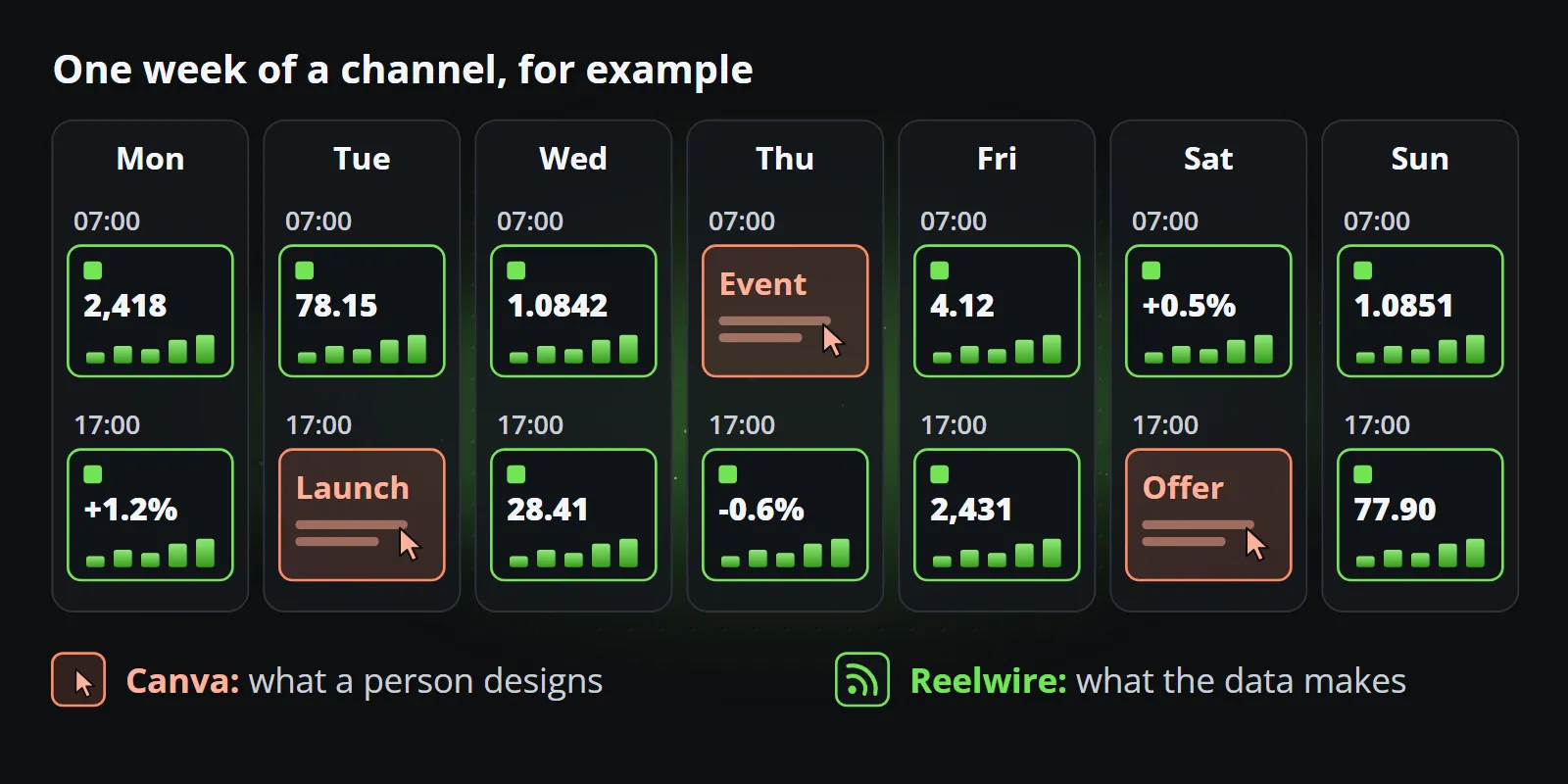
Your brand transfers in the way that matters: export your logo and background pictures, note your colours, add your fonts, and a Reelwire brand applies them to every clip. The designs themselves do not move across, because a Reelwire template is a composition built for data and for every aspect ratio at once, not a fixed layout.
Bottom line
If you are asking whether Bulk Create can run a daily video channel, the honest answer is that it can make it faster, but someone still has to do it every day. If the posts are recurring and built on facts, a pipeline that runs without anybody opening it is the better fit.
To compare on your own content, start with Reelwire’s free plan, 25 videos a month with no card, or see what it makes for your industry.
Frequently asked questions
Is Reelwire a Canva alternative?
Not for design work: keep Canva for campaigns, presentations and one-offs. Reelwire fills the gap next to it, the recurring, data-driven video that should not need anybody to open an editor: data arrives, a template fills, and the post is handed over when it is due.
Can Canva Bulk Create make videos from data automatically?
Bulk Create fills copies of a design from rows of a spreadsheet, which saves a lot of manual work. A person still uploads or updates the data and starts each batch, so it is a merge, not a feed that runs on its own.
Can I use my Canva brand kit in Reelwire?
Yes, the parts that matter: export your logo, background pictures and colours, and add your fonts, and a Reelwire brand applies them to every clip. Designs themselves do not transfer, because a Reelwire template is a composition built for data and every aspect ratio.
Which is cheaper, Canva or Reelwire?
As a tool, Canva is cheaper, and it has a free plan. But the real comparison is Canva plus the hours somebody spends making the posts in it, every week, against Reelwire, where the posts make themselves. Reelwire's paid plans work out at under a euro a video, and its free plan includes 25 videos a month.

Co-founder of Reelwire. Every organisation has facts worth showing, its prices, results, releases and warnings, and the vision is that every one of them can show those facts every day, on brand, in every format and language, without a production team behind each post. Your data, in motion: correct, recognisable and consistent from the first clip to the thousandth.